Smart Game Booster: Improve Online Gaming with a Powerful Ping Reducer
Online gaming is more enjoyable when games run smoothly and respond quickly to every action. However, high ping, unstable connections, and unexpected lag can make even the most exciting multiplayer matches frustrating. These problems are especially noticeable in competitive games, where a small delay can affect movement, aiming, and overall performance.
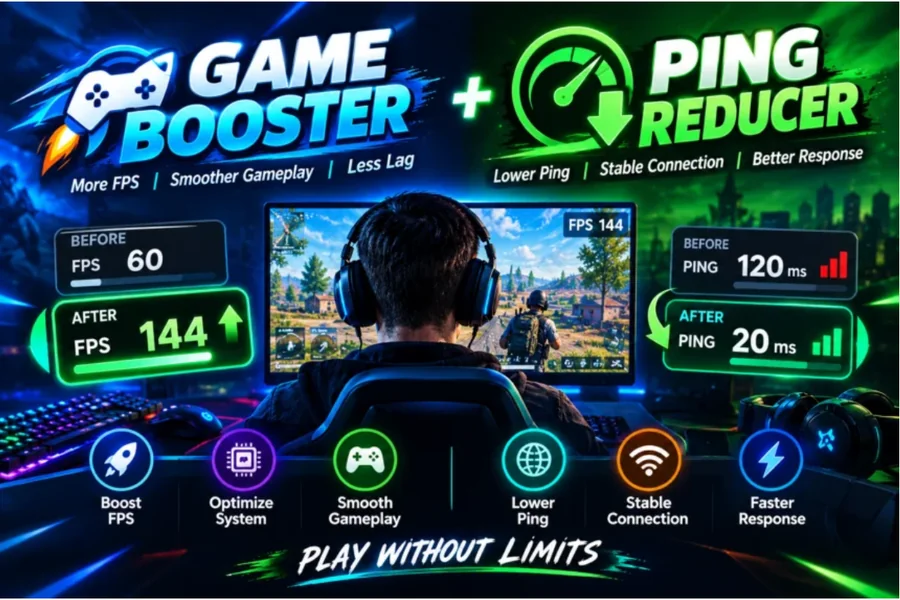
Smart Game Booster is a Windows gaming optimization program designed to help players improve their gaming experience through various performance and network optimization features. With its built-in Ping Reducer, FPS optimization, and additional gaming utilities, it provides a convenient solution for players who want to get more out of their existing computers and internet connections.
What Is Smart Game Booster?
Smart Game Booster is a PC gaming utility developed to help users optimize their computers for a better gaming experience. It combines system performance management with network acceleration and other useful tools in one application.
Instead of manually managing different settings, users can access multiple gaming-related features through a single interface. The software is designed to help reduce unnecessary background activity, optimize system resources, and improve network connectivity for supported online games.
One of its useful features is network acceleration, which aims to provide a more responsive online gaming experience. This makes Smart Game Booster worth considering for players who frequently experience connection delays or inconsistent performance during multiplayer sessions.
Reduce Gaming Lag with a Ping Reducer
Ping is an important factor in online gaming. It measures the time required for data to travel between your computer and the game server and return. It is usually measured in milliseconds (ms). A lower ping generally means faster communication with the server and less noticeable delay during gameplay.
Smart Game Booster includes a Ping Reducer through its network acceleration functionality. It is designed to optimize network routes and connect players through suitable gaming servers, potentially reducing latency and improving connection stability.
This feature can be particularly helpful in competitive shooting games, battle royale titles, and other multiplayer games where quick reactions matter. When network routing is inefficient, finding a more suitable connection route may help improve responsiveness.
Smart Game Booster advertises access to a global network of more than 500 servers, providing additional connection options for supported games and regions. Actual improvements depend on server availability, internet service providers, physical distance, and existing network conditions.
How Smart Game Booster Improves Online Gaming
A Ping Reducer is only one part of a good gaming experience. System performance also plays an important role in how smoothly a game runs.
Smart Game Booster combines network acceleration with PC optimization features to address different performance concerns. Its boosting functionality can help manage unnecessary background processes, clean junk files, and optimize selected system settings.
The program also includes an FPS Booster that focuses on frame-rate performance. This is useful because low FPS and high ping are two different problems that can sometimes be mistaken for each other. Low FPS affects how smoothly a game runs on your computer, while high ping causes delays in communication with the game server.
By providing tools for both areas, Smart Game Booster gives users a more complete approach to gaming optimization.
Additional Features for PC Gamers
Smart Game Booster offers several other features that make it more than a basic network optimization tool.
Its hardware monitoring functionality allows users to check FPS and component temperatures while playing games. Monitoring temperatures can help identify overheating issues that may affect system performance.
The software also provides driver management tools to help users check for available graphics and audio driver updates. Updated drivers can improve compatibility and help resolve certain gaming issues.
Another useful addition is the built-in gameplay recording feature, which allows players to capture gaming sessions. The Can I Run It feature also helps users check whether their computers meet the minimum and recommended requirements for particular games.
These additional utilities make it easier to manage different aspects of a gaming setup without installing multiple separate programs. Smart Game Booster offers a free version for gamers to test the boosting effect, and it is lightweight without extra bundled software.
Tips for Getting Better Results
Although Smart Game Booster provides useful optimization options, a few basic networking practices can also make a difference.
First, consider using an Ethernet connection instead of Wi-Fi whenever possible. Wired connections can reduce wireless interference and improve stability. Second, close applications that consume significant bandwidth, such as large downloads and video streaming services, while gaming.
Choosing a game server geographically closer to your location can also help reduce latency. Additionally, keeping your router firmware and network drivers updated may prevent certain connectivity problems.
After enabling Smart Game Booster’s network acceleration features, compare your ping and connection stability before and after optimization. This will help you determine whether the selected settings provide meaningful improvements for your games.
Final Thoughts
Smart Game Booster brings together network acceleration, system optimization, and useful gaming utilities in one Windows application. Its Ping Reducer aims to improve network routing and reduce latency, while its FPS Booster helps optimize local PC performance.
For gamers who want to address both connection delays and system-related performance issues, Smart Game Booster offers a convenient collection of tools worth exploring.
Visit the official Smart Game Booster website to learn more about its features and download the software. Combined with a stable internet connection and properly configured PC settings, it can help you work toward a smoother and more responsive online gaming experience.