Improve Your Gaming Performance and Responsiveness
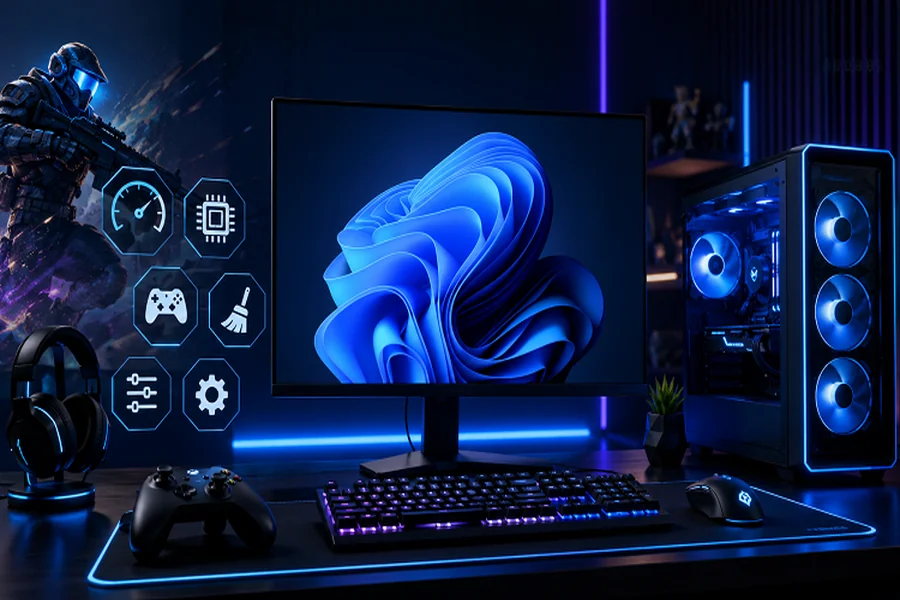
A great gaming experience depends on several factors, including computer performance, hardware compatibility, and personal gaming skills. Whether you enjoy competitive online games, racing titles, or action-packed adventures, smooth gameplay and quick responses can make a significant difference. However, lag, low frame rates, and delayed reactions can affect your performance. Understanding how your system works and using a few helpful tools can help you identify problems and improve your overall gaming experience.
Keep Your System Updated
One of the simplest ways to maintain a reliable gaming setup is to keep your computer software up to date. Drivers allow your operating system to communicate with hardware components such as graphics cards, sound devices, and network adapters. When drivers become outdated, you may experience compatibility issues, graphical errors, or unexpected performance problems.
Regularly choosing to update drivers can help improve hardware stability and ensure compatibility with newer games. Graphics card manufacturers often release updates containing bug fixes, performance improvements, and support for recently launched titles.
You can check for updates through Windows Update or visit the official website of your hardware manufacturer. Make sure you select the correct driver for your device model and operating system. Avoid downloading files from unfamiliar websites because unofficial drivers may create additional problems.
Although updating drivers does not guarantee higher frame rates in every game, it can help resolve issues that affect performance. Keeping your system updated is an important part of regular PC maintenance.
Understand Your Gaming Frame Rate
Frame rate is another important factor that influences how smoothly a game runs. It is measured in frames per second, commonly known as FPS. A higher frame rate generally produces smoother motion, making it easier to follow fast-moving objects and respond during gameplay.
An FPS calculator can help gamers understand frame-rate performance and explore how different hardware configurations may affect gaming results. Depending on the tool, you may be able to estimate expected FPS based on your processor, graphics card, memory, game, and resolution.
For example, someone planning to purchase a new graphics card can use an FPS estimation tool to compare possible performance across different games. This information can help them make more informed hardware decisions instead of spending money without understanding the expected benefits.
However, estimated FPS results are not guaranteed. Actual performance depends on several factors, including graphics settings, game optimization, background applications, cooling, and driver versions. For accurate results, test your computer while running the game you normally play.
Improve Your Reaction Speed
Gaming performance is not determined by hardware alone. Your ability to react quickly to changing situations is equally important, especially in competitive games. In first-person shooters, racing games, and multiplayer competitions, even a small delay in responding can affect the outcome.
A reaction time test is a simple way to measure how quickly you respond to a visual signal. Most online tests display a color change or another visual cue and ask you to click a button as soon as you notice it. The result is usually measured in milliseconds.
Taking several attempts can give you a better idea of your average response speed. Your results may change depending on your concentration, sleep, fatigue, and surroundings. For consistent measurements, perform the test in a quiet environment when you feel alert.
You can also use reaction-time exercises to practice concentration and responsiveness. Although these exercises may help you become more familiar with quick responses, they cannot replace actual gaming experience. Good positioning, decision-making, communication, and knowledge of game mechanics remain essential skills.
Optimize Your PC for Better Gameplay
A well-maintained computer can provide a more consistent gaming experience. Start by closing unnecessary applications before launching demanding games. Background programs can consume memory and processing power, reducing the resources available to your game.
You should also check your computer’s temperature during long gaming sessions. Excessive heat can cause the processor or graphics card to reduce performance to protect the hardware. Keeping fans clean and ensuring proper ventilation can help maintain suitable operating temperatures.
Another useful step is adjusting graphics settings. Features such as shadows, reflections, and advanced visual effects can place additional demands on your graphics card. If your game experiences frequent FPS drops, try lowering these settings gradually until you find a suitable balance between visual quality and performance.
Make sure your computer has enough free storage space and install updates from trusted sources. These basic habits can help prevent avoidable system problems.
Build a Better Gaming Experience
Improving gaming performance requires attention to both technology and personal skills. Keeping drivers updated can support system stability, while an FPS calculator can help you understand expected gaming performance before making hardware decisions. Meanwhile, a reaction time test provides an opportunity to measure and practice your response speed.
By combining regular PC maintenance, sensible graphics settings, and consistent practice, you can create a smoother and more enjoyable gaming experience. Small improvements in your hardware setup and daily gaming habits can make a meaningful difference over time.