



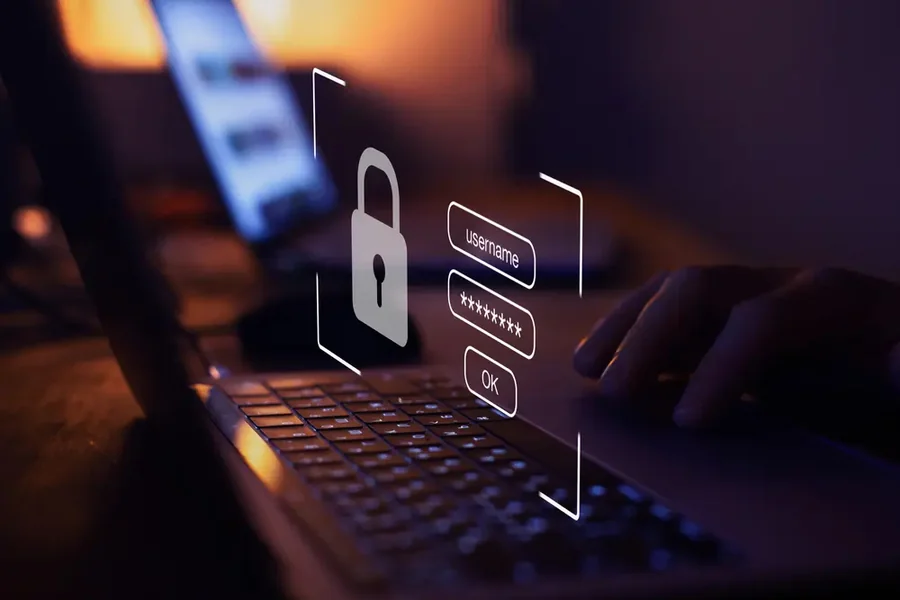
A secure online account is an account that has strong, unique login information, multiple factors of authentication, new account security settings, and careful account activity. Making a safer online account means minimizing the risk of unauthorized use, phishing, identity theft, and data loss. It doesn’t have to be complicated. Things like a password manager, 2 factor authentication, login alerts and suspicious links can make a huge difference. When you open a social media, shopping, banking, email or work account, you want to make sure your information is protected with good security practices.
Why Online Account Security Matters
Many people don’t realize how much information can be found in their online accounts. Private messages, documents, receipts, and/or password reset messages can be found within an email account. Your shopping history and address can be saved in a shopping account. Personal photos, contacts and information regarding your daily activities are included in social media accounts.
Once someone has access to one account, he/she might try to access others. This is particularly prevalent if the same password is used on multiple sites. One identity compromised with another password could then be used to access another account.
It’s not just about securing one account, it’s about making the online account safe. It’s all about limiting potential attack points to your personal information.
Good account security can help prevent you from becoming a victim of:
- Unauthorized account access
- Phishing attacks
- Password theft
- Identity theft
- Financial fraud
- Loss of personal data
- Account takeovers
- Unauthorized purchases or messages
Fortunately, most users do not need to be technologists to enhance their security. There are a number of simple precautions that can give you good protection.
Use A Strong And Unique Password
One of the first lines of defense between your account and an unauthorized user is your password. A good password should be hard to guess and not be the same as any other password you’ve used on another site.
Don’t use information that may be easily known, like your name, birthday, phone number, favorite sports team or pet’s name. Information that is out there and public may make it easier to predict even if a password is seemingly unique and hard to guess.
Instead, it’s best to create a long, one-of-a-kind password for each account you use that is vital. Longer passwords are also helpful since the more combinations an attacker can go through, the longer the word.
You can also use a password manager. A password manager may create and store robust passwords, and you do not need to keep in mind every login.
As you’re setting up your safer online account, keep this list of password guidelines in mind:
- Have a different password for each critical account.
- Use long passwords or passphrases.
- Don’t use repetitive personal data.
- Don’t reply via email, text or social media with your password.
- Avoid keeping passwords on easily-accessed notes or documents.
- Consider using a reputable password manager.
Remembering dozens of different passwords is hard, and that’s where a password keeper will assist you. The only thing you need to keep in mind is the password that secures the manager itself and the tool will do the rest.
Turn On Multi-Factor Authentication
Having a strong password is essential but is not the only line of defense. MFA, or multi-factor authentication (also known as two-factor authentication), is an additional measure of security upon logging into the service.
With MFA enabled, you may need to provide something in addition to your password. This may be a code generated by an authentication application, an approved security key, or other method of authentication.
It’s important because a stolen password may not be all they need to be able to access your account.
Suppose, for instance, someone gets hold of your password by phishing. If you have multi factor authentication on the account, the hacker might have to provide the second verification factor to complete logon.
It is recommended to enable MFA for accounts that include sensitive information, and typically, if an account has the option to enable MFA, it should be made so.
Ensure that accounts like these get MFA:
- Email accounts
- Banking and financial accounts
- Cloud storage
- Work accounts
- Social media
- Online shopping accounts
- Password managers
If multiple MFA solutions exist, adhere to the security recommendations of the service provider and implement some solution that can be used consistently.
Protect Your Account From Phishing
Careful online behaviour is the only way to complement a strong password and MFA. Phishing continues to be a favorite technique for stealing passwords, verification codes or other personal information.
The phishing message can look like it’s from a bank, delivery service, social networking site, employer or any other recognizable organization. May say your account is having a problem, and then ask you to click on a link or log in now.
The message may create a sense of urgency. It could alert you that you will lose your account or that a payment was not completed. These strategies aim to get you to do things before you think them.
If you receive a link in an email that you didn’t expect, think twice before clicking it.
Keep an eye out for signs like:
- Requests for a password or security code that are not expected.
- Messages that are urgent and require action now.
- Broken links to addresses with odd or misspelled URLs
- Unexpected attachments
- Requests for financial information
- Messages with unusual formatting or wording
If a message you receive from a service you use is suspicious, go to the official website or app of the service, do not click on the link in the message.
Keep in mind that reliable companies normally have methods in place to reach their clients. Don’t reply right away to every message that asks you to do so.
Keep Your Devices And Apps Updated
The security of your accounts depends on the devices you use to log in to your accounts as well. Software on phones, tablets and computers can have security vulnerabilities. These issues are typically addressed in updates.
Provide automatic updates if feasible and appropriate. Update your operating system, Web browser, mobile applications and security software.
This is a very simple step, but easily forgotten. Someone could take time to make a complex password but be using an old device with obvious security flaws.
It’s also important to carefully pick the programs you install. Install software from trusted sources and check what a software app asks for permission to do. An app that requests access to info it doesn’t seem to require should be investigated.
Do not save passwords or set to remember sensitive logon information on shared/computer computers. Don’t forget to log out when you’re done.
Review Privacy And Security Settings
Creating a safer online account does not end after registration. There are also privacy and security options you can enable or disable as needed throughout the services’ lifetime.
After signing up, check these settings out to see if you need to make any changes. Try to find something about alerts during login, connected devices, recovery information, privacy, visibility of accounts and third-party applications.
It can be very handy to have login alerts. If you’re notified about a new device signing in, then an unexpected alert might help you catch suspicious activity in the early stages.
Look for third-party apps and sites that have access to your account. Multiple services can be granted access to an account over time. Some of those connections might no longer be required.
Get rid of access you are not using anymore.
You should also periodically check your account activity. Recent logins, devices, locations or sessions may be viewable, depending on the service.
Create A Secure Account Recovery Plan
Until people find themselves without access to an account, account recovery is rarely considered. A secure recovery plan can help you get back on track without causing further security issues.
Use correct recovery information when creating an account, if appropriate. Use a strong, unique password and multi factor authentication for your recovery email address as well.
Some services will also provide a recovery code. If you can no longer use your normal method of accessing an account, these codes may be used to access it. Keep them in a safe place, and never give them to anyone.
Use security questions with caution too. You might be able to find the answers to questions such as where you were born, your favorite pet or what team you like the most online. If you have the option to set up your own security question or recovery info, don’t use answers that can be easily guessed using public information.
Your recovery options should be sufficiently secure that if you use normal logon security you will not be able to be easily overcome by an attacker using them.
The following are a good list of security to check:
- A unique and strong password
- Multi-factor authentication
- A secure recovery email address.A protected recovery e-mail address.
- New phone number/recovery info
- Safely stored recovery codes
- Regular checks on account activity.
- Removing old third party accesses.
Final Thoughts
It doesn’t take a lot of technical expertise to make an online account safe. It begins with some of the consistent behaviors that minimize common security threats.
Do not use common words or familiar phrases in your password. Wherever possible, enable multi-factor authentication. Beware of unsolicited emails and URLs. Ensure that devices and applications are up to date. Check privacy and security settings on a regular basis and ensure that there are account recovery keys that are secure.
Additionally, don’t forget that online security is continuous. Threats emerge as time goes on and the services you use might alter their security measures. It is a good idea to review your key accounts from time to time to detect any issues before they get out of hand.
It’s not necessary to change everything all at once. Begin with the most critical accounts, such as your main email, financial, work, and password manager. After the other accounts are secured, practice the same precautions on the others.

1 Comment
Pingback: What Businesses Should Know About Data Privacy